
Get Online with CircularONE
What is CircularONE?
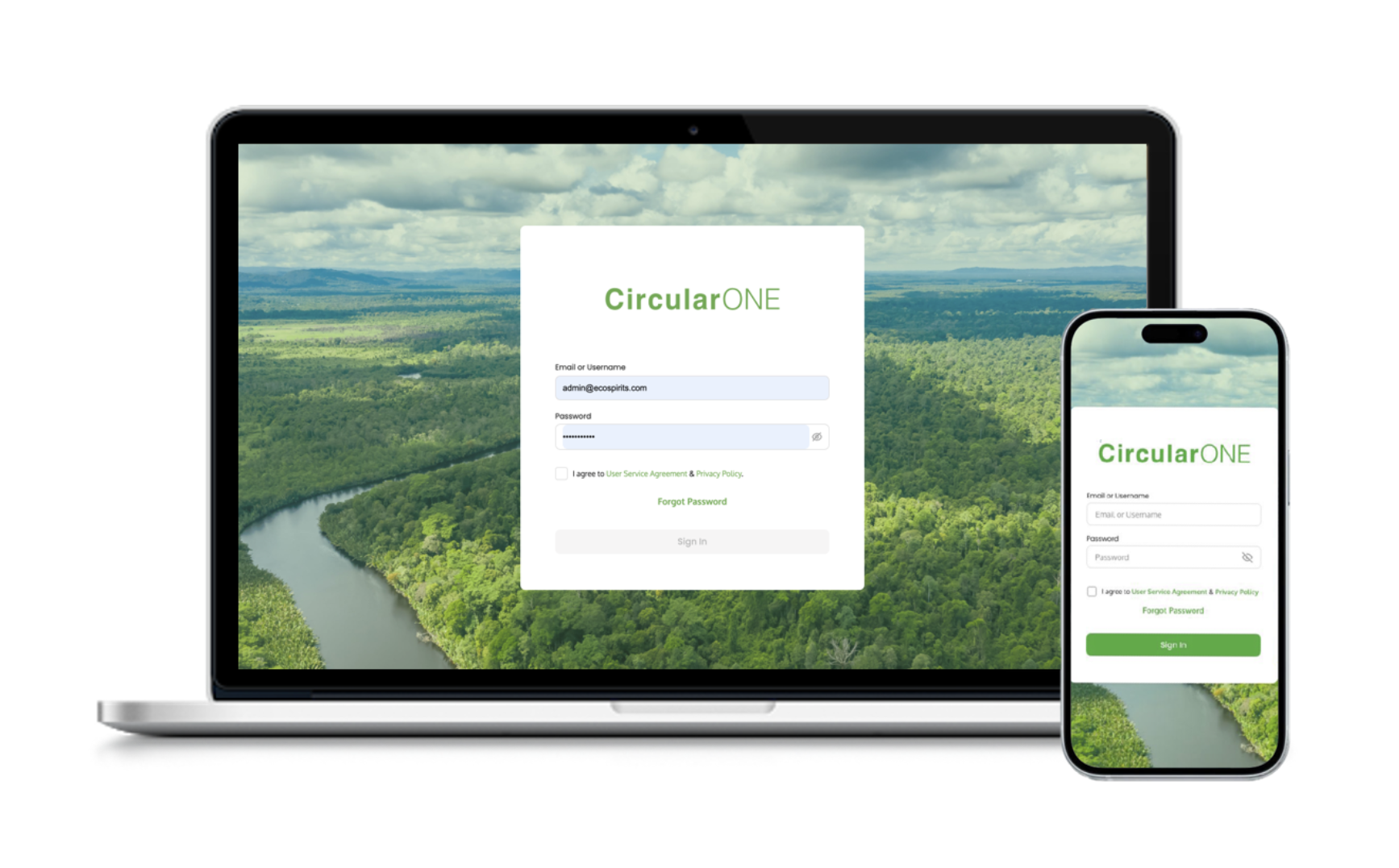
Our CircularONE software helps to track the movement and use of ecoTOTES in the closed-loop system.
You can use CircularONE in your outlet to manage your ecoTOTE stock levels, monitor your pouring activity and calculate your sustainability impact.
All this data is at your fingertips once you’re online with CircularONE. All you need to do is scan your ecoTOTEs upon delivery and let CircularONE do the hard work! It’s an easy solution to gain added insights into your beverage operations on demand.
Ready to get online with CircularONE?
Follow the simple steps below.
What is CircularONE?
Our CircularONE software helps to track the movement and use of ecoTOTES in the closed-loop system.
You can use CircularONE in your outlet to manage your ecoTOTE stock levels, monitor your pouring activity and calculate your sustainability impact.
All this data is at your fingertips once you’re online with CircularONE. All you need to do is scan your ecoTOTEs upon delivery and let CircularONE do the hard work! It’s an easy solution to gain added insights into your beverage operations on demand.
Ready to get online with CircularONE?
Follow the simple steps below.
Set Up Your CircularONE Account
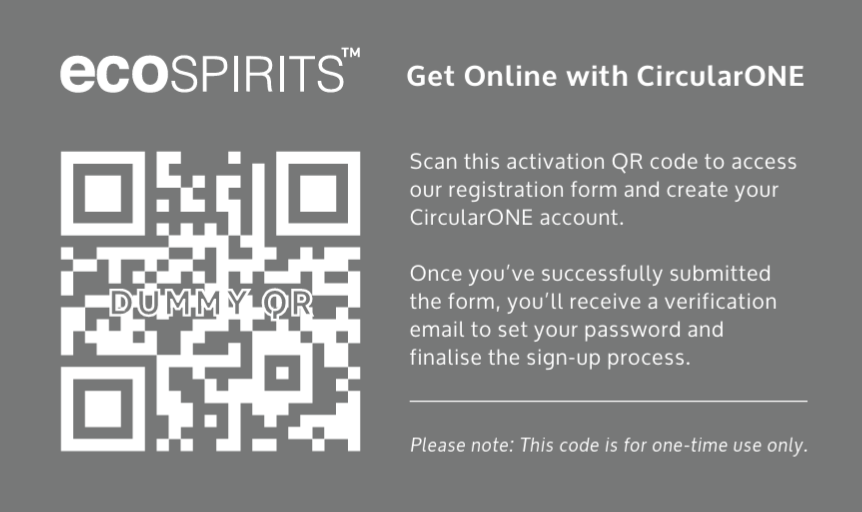
Scan your CircularONE activation QR code
Where can I find this activation QR code? You’ll find in on a card in your ‘Starter Kit’ and input the following image:
Create your CircularONE account
Enter your email and other necessary outlet information to create your account. Check your email. You should’ve received an email prompting you to set your password. Not received an email? Check your spam/junk folder. Still no luck? Contact us directly.
Download the CircularONE app from App Store or Google Play

Log into your CircularONE account using your email and password
Set Up Your CircularONE Account
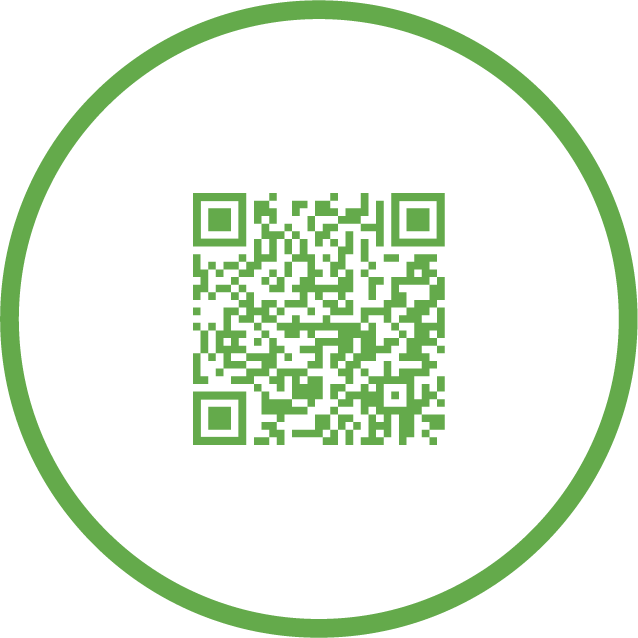
Scan your CircularONE activation QR code
Where can I find this activation QR code? You'll find in on a card in your 'Starter Kit' and input the following image:

Create your CircularONE account
Enter your email and other necessary outlet information to create your account.
Check your email. You should’ve received an email prompting you to set your password.
Not received an email? Check your spam/junk folder. Still no luck? Contact us directly.
Download the CircularONE app from App Store or Google Play
Log into your CircularONE account using your email and password
Scan In & Allocate Your ecoTOTES
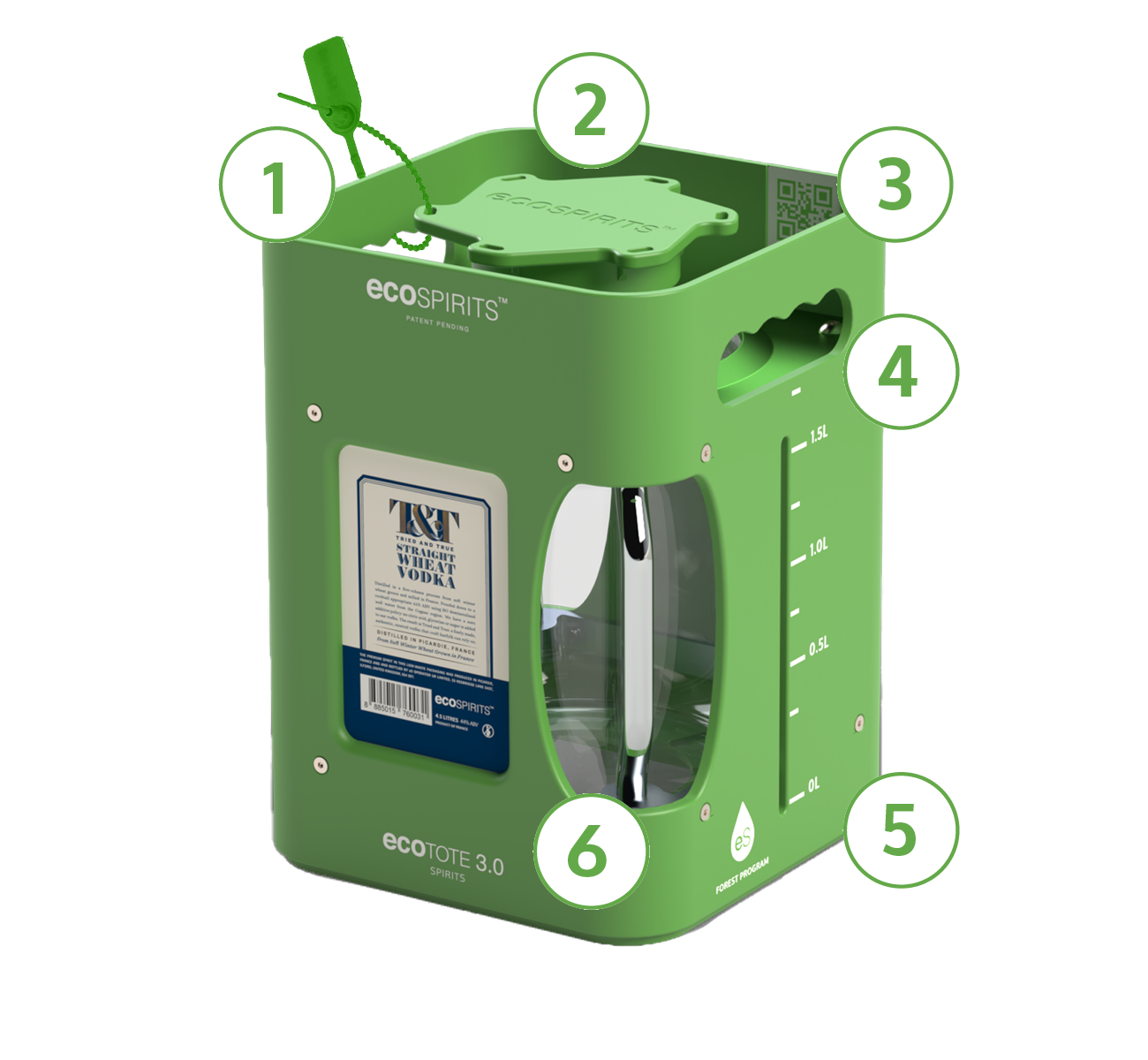
Each ecoTOTE has a unique QR code. Scan these codes with the CircularONE app to assign any ecoTOTEs you receive to your outlet. Ready to start scanning and allocating? Follow the steps below.
Receiving multiple ecoTOTES? You can scan all your ecoTOTES together rather than individually to save time.
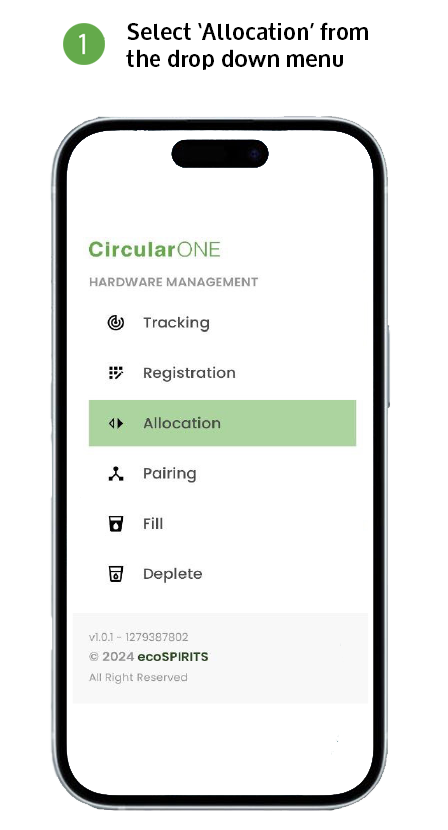
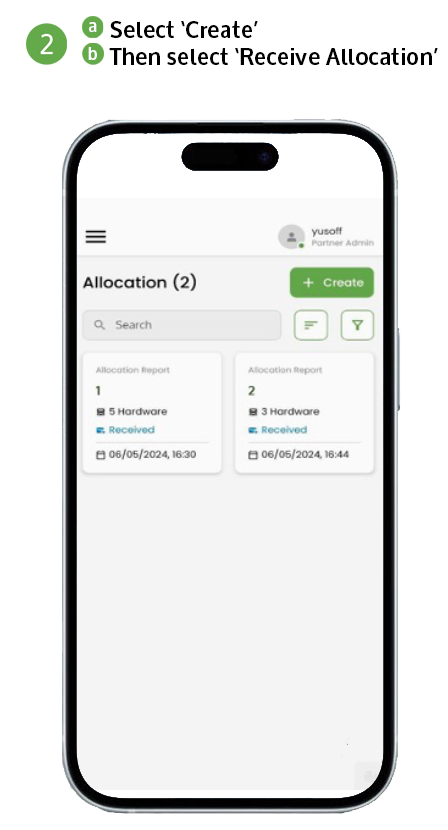
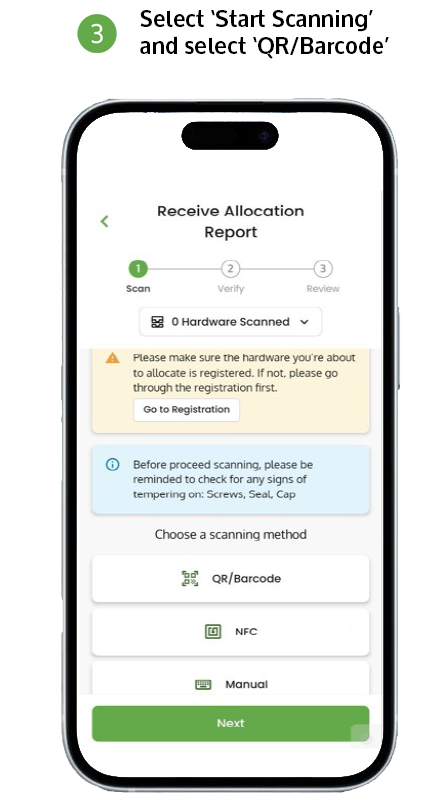
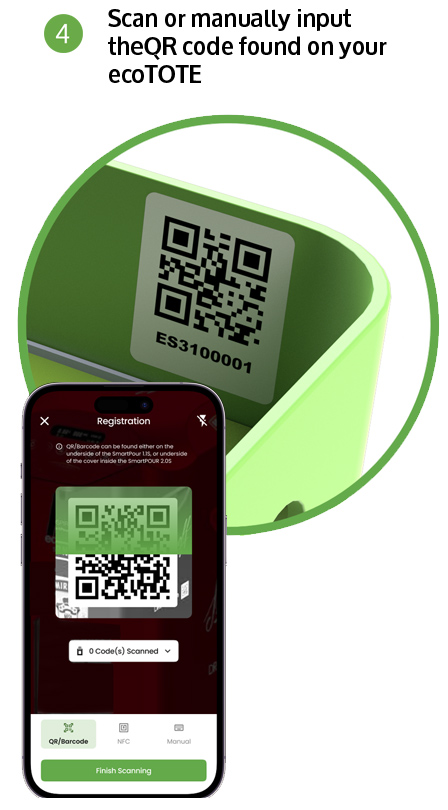
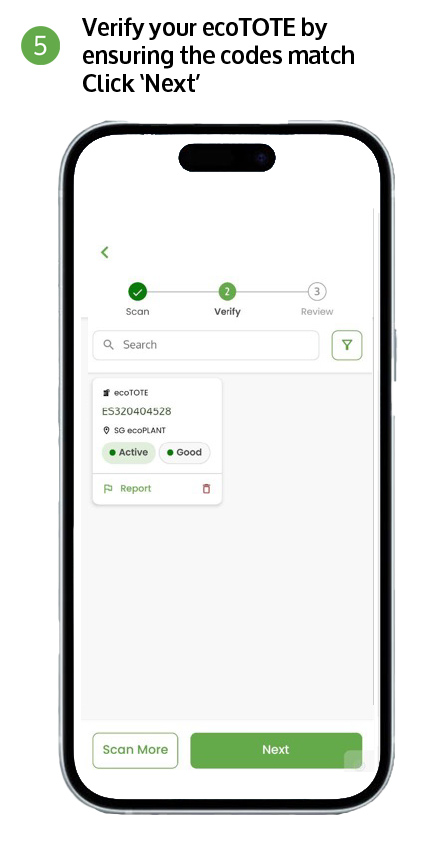
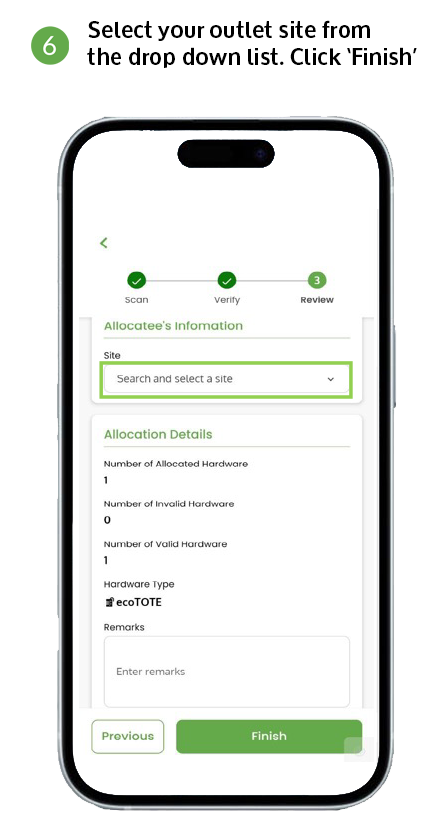
Scan & Allocate Your ecoTOTES
Each ecoTOTE has a unique QR code. Scan these codes with the CircularONE app to assign any ecoTOTEs you receive to your outlet.
Ready to start scanning and allocating? Follow the steps below.
Scanning & Allocating Tips
Receiving multiple ecoTOTES? You can scan all your ecoTOTES together rather than individually to save time.